
MacBook Pro 16-inch M3 Pro / M3 Max (2023): Refurbished, Specs & Repairs
A Large-Screen Mac for Work and Creative Projects
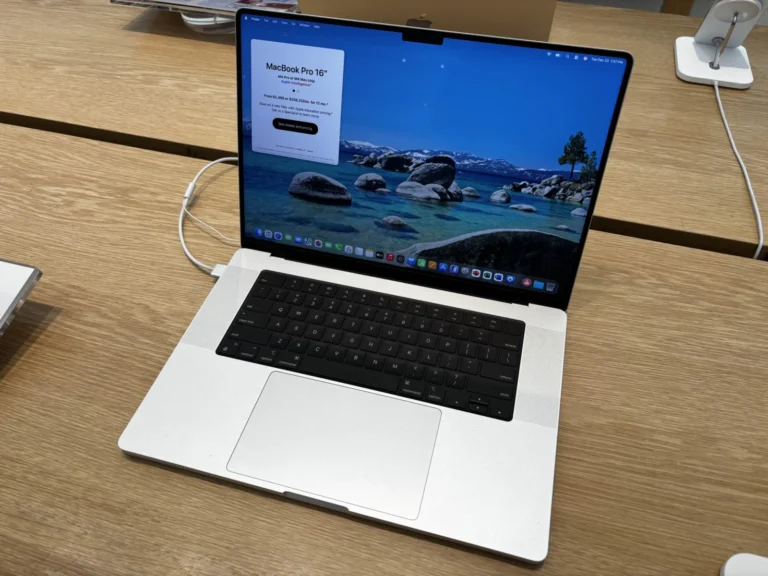
The MacBook Pro 16-inch M3 Pro and M3 Max, released in November 2023, combines a large display with configurations suited to demanding creative and professional work. It is worth considering if you want a portable Mac for editing, development, study or business, with more screen space when working away from your desk.
Complete Mac Solutions supplies refurbished Macs in Bristol and across the UK. Tell us which applications you use, the scale of your projects and your budget, so we can discuss a suitable chip, memory and storage configuration. The exact specification matters when comparing machines advertised under the same model name.
We also assess problems with MacBook Pro computers you already own. Whether you are buying, comparing repair with replacement or looking for a particular configuration, contact us to discuss current availability and your requirements. Confirm the individual machine’s condition, included accessories and applicable warranty before deciding to purchase.
Which 2023 MacBook Pro is this?
This guide covers the November 2023 16-inch model with M3 Pro or M3 Max. Apple also released a 16-inch M2 Pro and M2 Max model earlier in 2023, so the year alone does not identify the chip.
Check the Apple menu and select About This Mac before comparing adverts. The November model comes in Silver or Space Black and uses model identifiers Mac15,7, Mac15,9 or Mac15,11. Ask for the actual chip, memory and storage specification rather than relying on a seller’s description of “2023 MacBook Pro”.
Main specifications
- M3 Pro: 12-core CPU and 18-core GPU.
- M3 Max: 14-core CPU with 30-core GPU, or 16-core CPU with 40-core GPU.
- Display: 16.2-inch Liquid Retina XDR, 3456 × 2234 resolution and ProMotion up to 120Hz.
- Memory: M3 Pro offers 18GB or 36GB. M3 Max options depend on the chip version and extend to 128GB.
- Storage: M3 Pro starts at 512GB; M3 Max starts at 1TB, with larger configurations available.
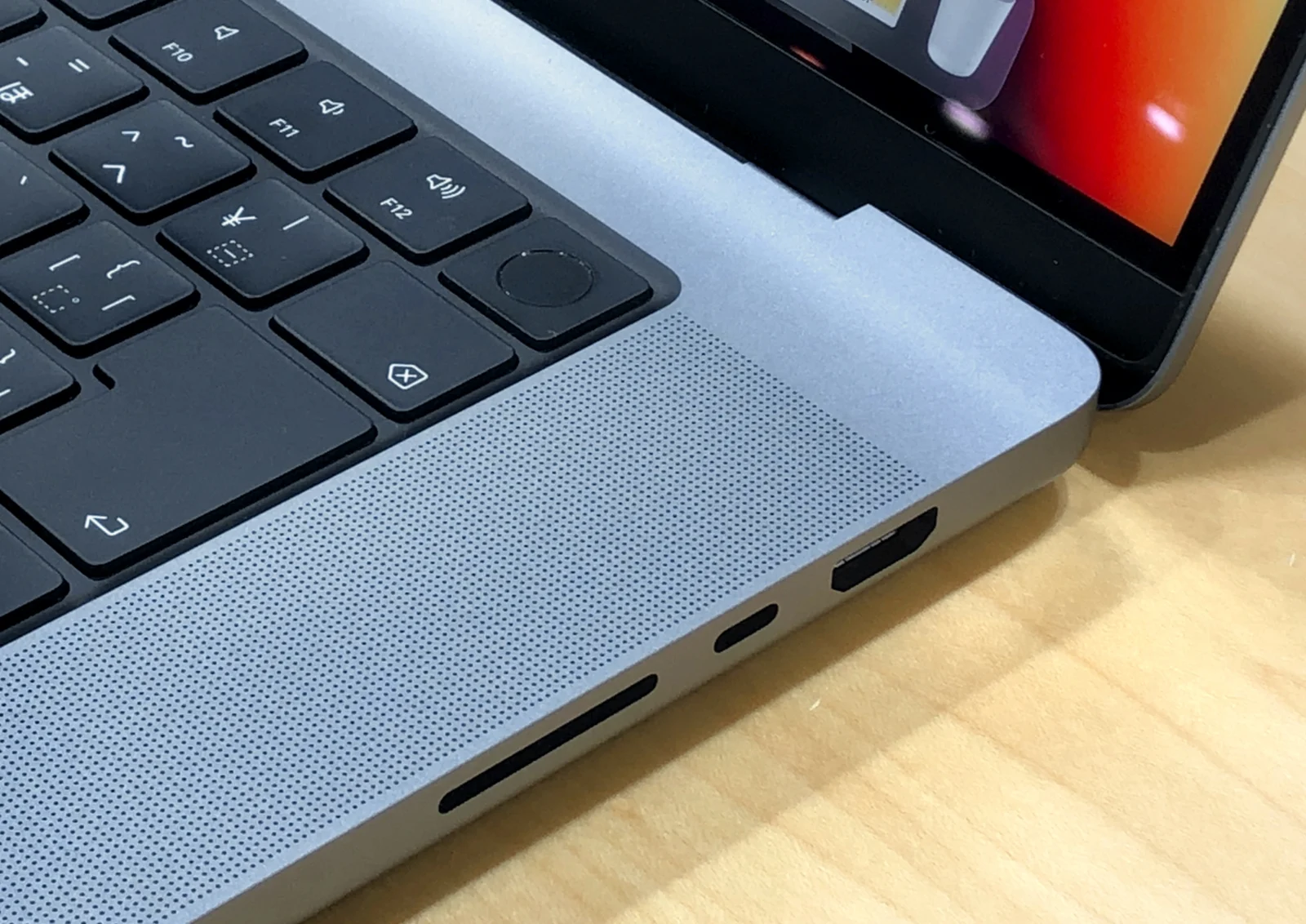
- Connections: three Thunderbolt 4 ports, HDMI, SDXC card slot, MagSafe 3 and a headphone jack.
- Camera and wireless: 1080p camera, Wi-Fi 6E and Bluetooth 5.3.
These are model options, not the specification of every machine we sell. Confirm the individual Mac’s configuration and included accessories.
M3 Pro or M3 Max: which should you buy?
Our advice is to start with your workload. M3 Pro is the more sensible starting point for many buyers working with photography, coding, music and video. M3 Max is worth considering when demanding graphics, larger projects or several professional applications are a regular part of your working day.
Apple introduced hardware-accelerated ray tracing with the M3 family. M3 Max also provides higher memory capacities and additional media processing resources. These capabilities matter most when your software can use them; they do not make every everyday task noticeably better.
For email, documents, online meetings and general study, spending more on M3 Max may offer little practical benefit. Compare the price of a well-specified M3 Pro with the Max configuration you are considering, and allow room in your budget for storage, software and backup.
A large-screen Mac for Bristol students and businesses
Bristol’s students have very different computing needs. A film, photography or music student may value a large workspace for timelines and editing tools. Someone mainly writing essays and attending lectures may prefer a lighter MacBook Air.
Before buying for a course, check the required applications and any Windows-only software with your department. Choose for the work you will actually do, including placements and final-year projects.
For businesses, this model can suit creative teams, developers and professionals who need a substantial workspace between locations. Discuss the applications, peripherals and displays your staff use before choosing configurations. Buying several Macs with consistent specifications can also make day-to-day support easier.
The larger chassis is a trade-off when carrying it across Bristol every day. Think about bag size, your commute and whether you normally work at a desk. For a lower-cost large-screen alternative, compare our guides to the 16-inch M1 Pro and 16-inch M1 Max.
What to check when buying refurbished
Look beyond the chip name. Check the battery condition, display, keyboard, trackpad, charging connections and cosmetic condition. Confirm that the machine can be set up for you without a previous owner’s Activation Lock or an unexpected organisation management screen.
Choose enough memory and internal storage at purchase: these are not ordinary user-upgradeable components. An external SSD can help with project storage, but it cannot increase the Mac’s memory.
Apple quoted up to 22 hours of movie playback and 15 hours of wireless web use under its test conditions. Treat those as laboratory figures, not a promise for a refurbished Mac running demanding software. Battery condition, brightness and workload affect the time you get.
Faults, symptoms and MacBook Pro repairs in Bristol
A repair guide or an isolated report does not establish a widespread model fault. For this MacBook Pro, the useful approach is to investigate the symptom and the individual machine’s history.
- Short battery life or unexpected shutdowns: battery wear, settings and software activity need checking.
- Charging problems: the adapter, cable and charging connection should be assessed before assuming a logic board fault.
- Lines, flickering or a damaged display: diagnosis helps establish whether the display assembly or another component is responsible.
- Unreliable USB-C connections: test the cable and peripheral as well as the Mac’s ports.
- Persistent fan noise, crashes or poor performance: investigate software, storage space and cooling rather than assuming the processor is inadequate.
- Keyboard, trackpad or liquid damage: ask for an assessment before deciding whether to repair or replace the machine.
Complete Mac Solutions can assess your MacBook Pro and discuss repair options. The appropriate repair and cost depend on the diagnosis, parts availability and the condition of the machine. Visit our Apple Mac repair page for help in Bristol.
Buy a refurbished MacBook Pro from Complete Mac Solutions
We carry a large stock of refurbished Macs and have an extensive supplier network to help source suitable configurations. Many of our Macs come fully boxed with all accessories and in fantastic condition. Availability, packaging and accessories vary, so ask about the individual machine.
Whether you are buying for university, freelance work or a business team, tell us which applications you use and the specification you need. Browse our Apple Macs for sale or speak to Complete Mac Solutions about a 16-inch M3 Pro or M3 Max.
Compare the MacBook Pro 16-inch M3 Pro / M3 Max with similar models
The 16-inch M2 Pro / M2 Max offers similar capability for less, and the 14-inch M3 Pro / M3 Max gives you the same chips in a more portable size. If you do not need the latest generation, the 16-inch M1 Pro is still an excellent big-screen buy.
- MacBook Pro 16-inch M2 Pro / M2 Max (2023)
- MacBook Pro 14-inch M3 Pro / M3 Max (2023)
- MacBook Pro 16-inch M1 Pro (2021)
- MacBook Pro 16-inch M1 Max (2021)
References
Image credit
Photo: KKPCW. Wikimedia Commons source · CC BY-SA 4.0. Resized and compressed to WebP. Design reference: Same design (2021 16-inch, close-up).
.jpg)
Top image credit
Photo: AzureSaturn. Wikimedia Commons source · CC0. Resized and compressed to WebP; responsive versions supplied. Design reference: the 16-inch M4 Pro (2024) is pictured; the chip and model year on this page differ.
.jpg)