
MacBook 12-inch (2017): Refurbished, Specs & Repairs
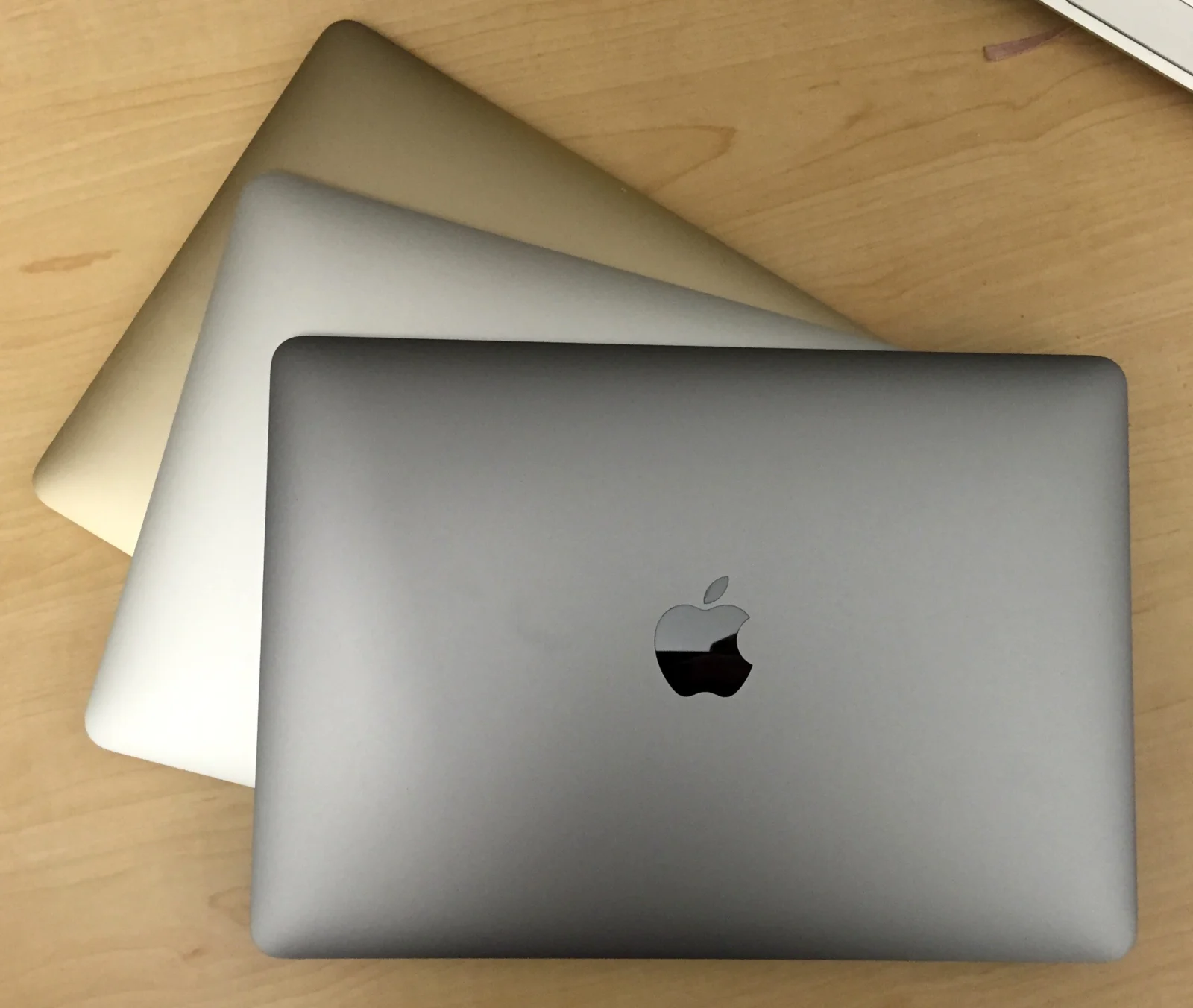
The fastest and final 12-inch Retina MacBook
The MacBook 12-inch (2017) was the last and fastest version of Apple’s ultra-thin, fanless laptop. It added Core i5 and i7 processor options, faster storage, an optional 16GB of memory and an improved second-generation keyboard, while keeping the 0.92kg weight, 12-inch Retina display and single USB-C port.
It suits writing, browsing and email on the move, but it is now an older machine with a low-power processor. It no longer runs the latest versions of macOS, so check your applications before buying.
Every refurbished MacBook 12-inch (2017) we sell is checked by our technicians and comes with a 12-month warranty. Browse our refurbished MacBook range, or book a repair if you already own one.
About This Model
The MacBook 12-inch (2017) was released in June 2017 and sold until July 2019, when Apple discontinued the 12-inch MacBook. It came in silver, gold, space grey and rose gold, and is the most capable of the three 12-inch models.
Complete Mac Solutions supplies refurbished Apple Macs in Bristol for home users, students and businesses. We also offer MacBook repairs and can help you compare the cost of repairing an older MacBook with a suitable replacement.
Which MacBook does this cover?
This guide covers the MacBook (Retina, 12-inch, 2017), with the model identifier MacBook10,1. It looks almost identical to the 2015 and 2016 models, so check the full model name rather than relying on the case or colour.
Choose About This Mac from the Apple menu to check the model. The 2017 model has an Intel Core m3, i5 or i7 processor and Intel HD Graphics 615.
Specifications at a glance
| Display | 12-inch Retina IPS display, 2304 × 1440 resolution |
|---|---|
| Processor options | 1.2GHz Core m3 or 1.3GHz Core i5; optional 1.4GHz Core i7 |
| Memory | 8GB or 16GB 1866MHz LPDDR3, fitted to the logic board |
| Storage | 256GB or 512GB flash storage |
| Graphics | Intel HD Graphics 615 |
| Connections | One USB-C port (charging, USB 3.1 Gen 1 and DisplayPort) and headphone socket |
| Battery | 41.4Wh; Apple originally quoted up to 10 hours of wireless web use |
| Charging | USB-C; originally supplied with a 30W adapter |
| Size and weight | 0.35–1.31cm thick, 28.05cm wide, 19.65cm deep; approximately 0.92kg |
Ask us to confirm the exact configuration of any refurbished machine available.
What is it useful for?
Our recommendation is to assess this model for writing, notes, email, browsing and streaming, especially if a light bag matters more than speed. The Retina screen is sharp and comfortable for reading.
The low-power processor is still the main limitation, though the Core i5 and i7 versions are noticeably quicker than earlier 12-inch models. Heavier applications or lots of browser tabs can still make it feel sluggish.
With only one USB-C port, you will need an adapter or hub to charge and connect a USB-A drive, display or other accessory at the same time.
A MacBook for Bristol students
For Bristol students who mainly need a very light laptop for notes and essays, the 12-inch MacBook is easy to carry between lectures and the library. It can work as an affordable second machine.
Check university requirements before choosing an older Mac, as many current applications and examination tools need a newer macOS. If you need a main laptop for several years of study, compare it with a newer model such as the MacBook Air M1 (2020) or the MacBook Neo.
MacBooks for businesses
Complete Mac Solutions supplies Macs for businesses as well as individuals. Tell us which applications, peripherals and working arrangements your team uses so we can help you choose a suitable machine.
A 2017 12-inch MacBook may suit a single light task with compatible software, such as a portable note-taking or presentation machine. Check application support and your organisation’s security requirements before using it as a staff laptop.
macOS compatibility
Apple lists macOS Ventura as the newest officially compatible operating system for this model. That is an important buying limitation: current applications may require a newer macOS release, and Ventura no longer receives security updates.
Check the developer’s requirements for your essential applications before purchasing. Tell us what you need to run so we can help you compare suitable alternatives.
Memory and storage
Both the memory and the storage are fitted to the logic board and cannot be upgraded. Look for a 16GB model if you can, as it will cope better with several applications at once.
If you are running out of space, an external USB-C drive or cloud storage is the practical answer. Ask us before buying if you are unsure how much storage you need.
Known concern: the butterfly keyboard
This model uses the second-generation butterfly keyboard, which is more comfortable than the first but can still develop sticky, repeating or unresponsive keys, often because of dust or crumbs under the very shallow keys.
Apple ran a keyboard service programme covering this model, but that programme has ended. Keyboard faults now need assessment, as a full keyboard replacement on this model is involved and the cost should be weighed against the value of the laptop.
Battery condition and replacement
Short running time, unexpected shutdowns or a battery service recommendation deserve assessment. A trackpad that becomes stiff or hard to click, or a case that no longer sits flat, can point to a swollen battery and should be checked promptly.
The battery is attached with adhesive inside a very thin case, making replacement involved. Ask us about the condition of the battery in a refurbished laptop and the likely cost of replacement if yours needs attention.
Other repair symptoms to check
Charging and USB-C port problems
Because everything goes through one USB-C port, a worn or damaged port affects charging and accessories together. Try a different cable and charger first, then get it assessed if the problem continues.
Display faults
Check the screen for cracks, lines or flickering, and look for patchy marks on the anti-reflective coating. Visible symptoms need assessment before quoting a repair.
Spill damage
Switch the laptop off straight away after a spill and do not try to charge it. Describe what was spilt and when, so the damage can be assessed properly.
Complete Mac Solutions can discuss MacBook repairs in Bristol and help you weigh the likely cost against the condition, usefulness and replacement value of the laptop.
Buying a refurbished MacBook 12-inch (2017)
Confirm the model, processor, memory, storage, battery condition and supplied charger. Test every key and the USB-C port, and check the screen in good light. Most importantly, check that your essential software supports its operating system.
Complete Mac Solutions carries a large stock of refurbished Macs and has an extensive supplier network to help source suitable configurations. Many of our Macs come fully boxed, with all accessories and in fantastic condition. Packaging, accessories and condition vary between machines, so ask us to confirm what comes with the one you choose.
Explore our Apple Macs for sale or speak to us about a laptop for home, study or business. If you already own this model, we can help you consider whether repair or replacement offers the best value.
References and further reading
Compare the MacBook 12-inch (2017) with similar models
The 2018 Retina MacBook Air has a larger screen, two USB-C ports and Touch ID. For current macOS support, the MacBook Neo is Apple’s modern lightweight option.
- MacBook 12-inch (Early 2016)
- MacBook Air 13-inch Retina (2018)
- MacBook Air 13-inch (2017)
- MacBook Neo (2026)
Buy or repair a MacBook 12-inch (2017)
Looking for a very light Retina Mac for writing and browsing? Ask about our current MacBook stock, or let us diagnose and quote for a repair on the one you already own.
Image credit
Photo: Alison Cassidy. Wikimedia Commons source · CC BY-SA 4.0. Resized and compressed to WebP. Design reference: Same design (2015).
