
iMac 21.5-inch (Mid 2014): Refurbished, Specs & Repairs
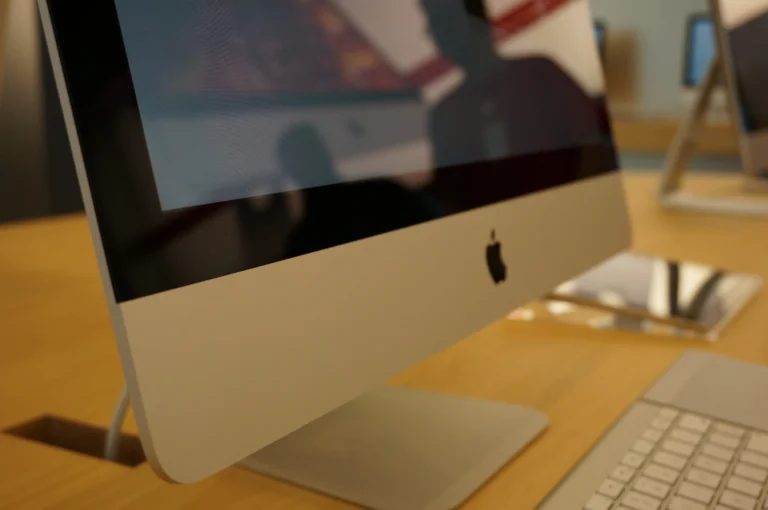
An affordable all-in-one iMac for everyday tasks
The iMac 21.5-inch (Mid 2014) was Apple’s lower-priced all-in-one desktop, with a 21.5-inch Full HD display, built-in speakers and camera, and the computer itself inside the slim aluminium case. You just add a keyboard and mouse.
It suits browsing, email, documents and video calls, but it is one of the slowest iMacs of its generation and is now an older machine. It no longer runs recent versions of macOS, so check your applications before buying.
Every refurbished iMac 21.5-inch (Mid 2014) we sell is checked by our technicians and comes with a 12-month warranty. Browse our refurbished iMac range, or book a repair if you already own one.
About This Model
The iMac 21.5-inch (Mid 2014) was released in June 2014 as an entry-level iMac below the existing Late 2013 models. It used a low-power 1.4GHz dual-core processor, similar to the one in the MacBook Air of the time, to bring the price of an iMac down.
Complete Mac Solutions supplies refurbished Apple Macs in Bristol for home users, students and businesses. We also offer iMac repairs and can help you compare the cost of repairing or upgrading an older iMac with a suitable replacement.
Which iMac does this cover?
This guide covers the iMac (21.5-inch, Mid 2014), with the model identifier iMac14,4. It looks almost identical to the Late 2013 and Late 2015 21.5-inch iMacs, so the case alone will not tell you which one you have.
Choose About This Mac from the Apple menu to check the full model name. The Mid 2014 model has a 1.4GHz dual-core Intel Core i5 processor and Intel HD Graphics 5000. If yours shows a quad-core processor or Iris Pro graphics, it is a different model.
Specifications at a glance
| Display | 21.5-inch LED-backlit IPS display, 1920 × 1080 resolution |
|---|---|
| Processor | 1.4GHz dual-core Intel Core i5 (Turbo Boost up to 2.7GHz) |
| Memory | 8GB 1600MHz LPDDR3, fitted to the logic board |
| Original storage options | 500GB or 1TB hard drive, 1TB Fusion Drive or 256GB flash storage |
| Graphics | Intel HD Graphics 5000 |
| Connections | Two Thunderbolt ports, four USB 3 ports, Gigabit Ethernet, SDXC card slot and headphone socket |
| Wireless | 802.11ac Wi-Fi and Bluetooth 4.0 |
| Size and weight | 45cm high, 52.8cm wide, 17.5cm stand depth; approximately 5.7kg |
Ask us to confirm the exact configuration of any refurbished machine available. Storage may have been replaced or upgraded from the original factory specification.
What is it useful for?
Our recommendation is to assess this model for email, browsing, documents, video calls and compatible older applications. It works well as a simple family computer or a dedicated machine for one task, such as a reception desk.
It is not suited to demanding work. The low-power dual-core processor and integrated graphics are slow by current standards, and photo editing, video work and many current applications will feel sluggish or will not run.
Storage type makes a big difference. An iMac with an SSD feels far quicker in everyday use than the same machine with its original 5400-rpm hard drive.
A Mac for Bristol students
Bristol students wanting a low-cost desktop for a bedroom or shared house may find this model tempting. It can handle essays, research and streaming when its software support meets the course’s needs.
Check university requirements before choosing an older Mac, as many current applications and examination tools need a newer macOS. If you need a main computer for several years of study, compare it with a newer model such as the iMac 21.5-inch Retina 4K (2019) or the MacBook Air M1 (2020).
Macs for businesses
Complete Mac Solutions supplies Macs for businesses as well as individuals. Tell us which applications, peripherals and working arrangements your team uses so we can help you choose a suitable machine.
A Mid 2014 iMac may suit a single light task with compatible software. Check application support and your organisation’s security requirements before using it as a staff computer, as a newer Mac will usually be better value for everyday work.
macOS compatibility
Apple lists macOS Big Sur as the newest officially compatible operating system for this model. That is an important buying limitation: current applications may require a newer macOS release, and Big Sur no longer receives security updates.
Check the developer’s requirements for your essential applications before purchasing. Tell us what you need to run so we can help you compare suitable alternatives.
Memory and SSD upgrades
The 8GB of memory is soldered to the logic board and cannot be upgraded. Unlike the 27-inch iMac, there is no memory access door on this model.
Replacing the original hard drive with an SSD is the most worthwhile upgrade, but it means removing the glass display, which is held on with adhesive. That makes it a job for a technician rather than a quick swap at home.
An SSD can make a big difference to startup and everyday speed, but it will not extend official macOS support. Ask us about the exact machine before deciding whether an upgrade is worthwhile.
Known concern: slow hard drives
Most Mid 2014 iMacs were supplied with a 500GB 5400-rpm hard drive. After years of use these drives often become very slow or start to fail, which shows as a spinning wheel, long startup times and freezing.
A slow machine is not always a faulty one, but a failing drive needs attention before data is lost. Back up important files first, and ask about data recovery if the drive has already failed.
Other repair symptoms to check
Display faults
Check the screen for lines, dark patches, flickering or a dim backlight, and inspect the glass for cracks. Display repairs on this model involve the bonded glass panel, so get an assessment before deciding.
Startup and power problems
Failure to start, random shutdowns or a machine that powers on without a picture can have several causes, including the internal power supply. Tell us what happens when you press the power button.
Heat, fan noise and Wi-Fi
A loud fan, heat-related slowdowns or unreliable Wi-Fi or Bluetooth deserve assessment. Describe when the problem started and whether it happens during particular tasks.
Complete Mac Solutions can discuss iMac repairs in Bristol and help you weigh the likely cost against the condition, usefulness and replacement value of the machine.
Buying a refurbished iMac 21.5-inch (Mid 2014)
Confirm the storage type and capacity, the installed version of macOS and the condition of the display. Because the memory cannot be upgraded and the processor is modest, make sure it suits what you need to do. Most importantly, check that your essential software supports its operating system.
Complete Mac Solutions carries a large stock of refurbished Macs and has an extensive supplier network to help source suitable configurations. Many of our Macs come fully boxed, with all accessories and in fantastic condition. Packaging, accessories and condition vary between machines, so ask us to confirm what comes with the one you choose.
Explore our Apple Macs for sale or speak to us about a desktop for home, study or business. If you already own this model, we can help you consider whether repair, an SSD upgrade or replacement offers the best value.
References and further reading
Compare the iMac 21.5-inch (Mid 2014) with similar models
The 2015 21.5-inch iMac is faster and supports a newer macOS, and a Retina 4K version adds a much sharper screen. If you already have a monitor, a Mac mini is another option.
- iMac 21.5-inch (2015)
- iMac 21.5-inch Retina 4K (2019)
- iMac 27-inch Retina 5K (2014)
- Mac mini (Late 2014)
Buy or repair an iMac 21.5-inch (Mid 2014)
Looking for an affordable all-in-one Mac for everyday tasks? Ask about our current iMac stock, or let us diagnose and quote for a repair or SSD upgrade on the one you already own.
Top image credit
Photo: Mike Lau. Wikimedia Commons source · CC BY-SA 2.0. Resized and compressed to WebP; responsive versions supplied. Design detail: the slim aluminium iMac introduced in 2012. This photograph illustrates the casing design, not a confirmed screen size or exact model year.
