
MacBook Air 13-inch (2015): Refurbished, Specs & Repairs

The classic wedge-shaped MacBook Air
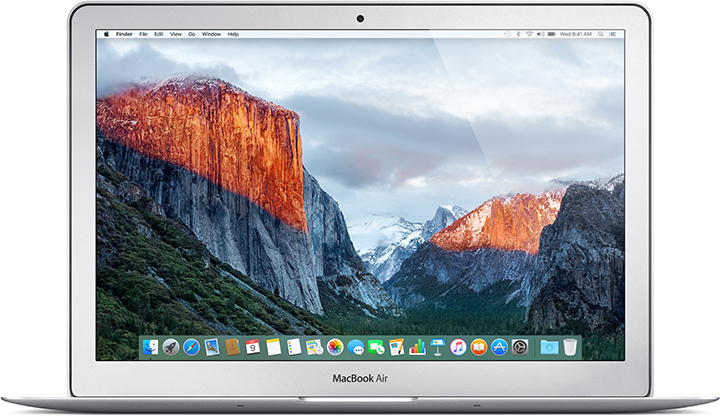
The MacBook Air 13-inch (2015) is the classic Air design that made Apple laptops popular with students and travellers. It has a comfortable, reliable scissor-switch keyboard, MagSafe 2 charging and useful ports: two USB-A, Thunderbolt 2 and an SD card slot.
Its screen is not Retina, so text is less sharp than on later models, and it no longer runs the newest macOS versions. It is best for basic tasks on a small budget, and we check the battery carefully as many have worn by now.
Every refurbished MacBook Air 13-inch (2015) we sell is checked by our technicians and comes with a 12-month warranty. Browse our refurbished MacBook Air range, or book a repair if you already own one.
About This Model
The MacBook Air 13-inch (2015) is a lightweight Intel laptop with SSD storage, a backlit keyboard and useful built-in connections. As an inexpensive refurbished Mac, it may suit lighter tasks using compatible software. The important buying points are its fixed memory, battery condition and older operating-system support.
Complete Mac Solutions supplies refurbished Apple Macs in Bristol for home users, students and businesses. We also offer MacBook repairs and can help you compare repairing an existing Air with buying a replacement.
Which MacBook Air is this?
This guide covers the 13-inch Early 2015 MacBook Air. It has the older silver wedge-shaped design and a non-Retina screen. It is a different model from the 11-inch Air released in the same year and the redesigned Retina Air introduced later.
Choose About This Mac from the Apple menu to check the full model name. Its model identifier is MacBookAir7,2, but that identifier is also used by the 2017 13-inch Air. The A1466 casing number likewise covers several years, so check the complete model details before comparing machines or ordering parts.
Specifications at a glance
| Display | 13.3-inch, 1440 × 900 resolution, non-Retina |
|---|---|
| Processor | 1.6GHz dual-core Intel Core i5; optional 2.2GHz dual-core Core i7 |
| Memory | 4GB or 8GB onboard RAM; 8GB maximum |
| Original storage options | 128GB, 256GB or 512GB PCIe flash storage |
| Graphics | Intel HD Graphics 6000 |
| Connections | Two USB 3 ports, Thunderbolt 2, SDXC card slot and headphone socket |
| Charging | MagSafe 2; supplied originally with a 45W adapter |
| Weight | Approximately 1.35kg |
These are the original model options. Ask us to confirm the specification and any replacement storage fitted to the particular refurbished machine you are considering.
What is it useful for?
Our recommendation is to assess this Air for modest workloads such as documents, email, reading and research, using applications that still support its operating system. Its appeal is portability and affordability rather than performance for demanding creative projects.
The 8GB version is the more useful starting point for multitasking. A 4GB machine needs careful consideration if you keep lots of browser tabs or applications open, because its memory cannot be increased later.
The non-Retina screen is another practical difference from newer MacBooks. Before buying, consider whether its text and image detail meet your needs, particularly if you spend long periods reading or editing photographs.
A budget MacBook for Bristol students
Bristol’s large student population makes affordable laptops a regular consideration. A compact refurbished Air may suit essays and research when its software compatibility and battery condition match the demands of the course.
Check your university’s requirements before choosing an older Mac. Examination software, specialist engineering applications and creative tools may need newer hardware or macOS. Ask about battery health if you plan to use it between lectures, and allow enough storage for your coursework.
If the budget allows, compare the total cost with a MacBook Air M1 (2020). A newer machine may be the better purchase when you need a main laptop for several years of study.
MacBooks for businesses
Complete Mac Solutions supplies Macs for businesses as well as individuals. Tell us which applications, peripherals and working arrangements your team uses so we can help you choose a suitable machine.
A 2015 Air may fit a specific, established workflow, but check current application requirements and your organisation’s security policy before choosing it for staff. A low purchase price needs to be weighed against software support, reliability and the likely remaining useful life.
macOS compatibility
Apple lists macOS Monterey as the newest officially compatible operating system for this model. That does not guarantee compatibility with the latest release of every application, or that Monterey receives the security updates your work requires.
Check the requirements for your essential software before buying. If you need applications or features that require a newer operating system or Apple silicon, ask us about a more suitable Mac.
Can the memory or storage be upgraded?
The RAM is soldered to the logic board, so there is no normal memory upgrade from 4GB to 8GB after purchase. Choose the capacity you need at the outset.
The SSD is removable, making storage replacement or an upgrade possible. However, it uses an Apple-specific connection rather than a standard drive slot. Suitable parts and compatibility need to be checked before fitting a replacement.
An SSD upgrade can provide more space, but it will not increase RAM or extend official macOS compatibility. Contact us about the exact machine and what you want to achieve so we can discuss whether the work offers good value.
Battery condition and repairs
Battery health is one of the most important checks on an older portable Mac. Short running time, unexpected shutdowns or a service recommendation can justify an assessment. The battery in this model is replaceable and is secured with screws rather than glued into the case.
Ask about the condition of the battery fitted to a refurbished machine. Original battery-life claims describe a new laptop under test conditions; they do not tell you how long an individual used Air will run today.
If you already own one, tell us whether the problem happens on battery power, while plugged in or both. We can discuss MacBook Air repairs in Bristol and help you compare the likely cost with replacing the laptop.
Other repair concerns to check
The following are useful checks on an ageing machine, rather than defects that affect every 2015 Air.
Charging and power problems
Intermittent charging or a laptop that will not start can have several causes. The charger, charging connection, battery and internal hardware may need assessment. Describe what the charging indicator does and whether the Mac works while connected to power.
SSD and startup faults
Startup errors, missing storage or repeated freezes deserve diagnosis. Keep a separate backup of important files. A removable SSD gives repair options, but replacing it should follow an assessment of the fault and compatibility.
Keyboard, trackpad and screen damage
Test every key, the trackpad and its click action. Check the screen for cracks, lines or other image problems, and make sure the hinge holds it in position. These condition checks are particularly useful when comparing used machines.
Fan noise and liquid damage
Persistent fan noise, unexpected shutdowns or faults following a spill need assessment. Tell us when the symptoms began and whether they appear during particular tasks so we can advise on the next step.
Buying a refurbished MacBook Air 13-inch (2015)
Confirm the RAM, storage capacity, battery condition and supplied charger. Check that the applications you need support the operating system, and compare the asking price with newer refurbished alternatives.
Complete Mac Solutions carries a large stock of refurbished Macs and has an extensive supplier network to help source suitable configurations. Many of our Macs come fully boxed, with all accessories and in fantastic condition. Packaging, accessories and condition vary between machines, so ask us to confirm what comes with the one you choose.
Explore our Apple Macs for sale or speak to us about a laptop for home, study or business. If you already own this Air, we can help you consider whether a battery replacement, storage work or a newer Mac offers the best value.
References and further reading
- Apple: MacBook Air 13-inch (Early 2015) specifications
- Apple: identify your MacBook Air and its newest compatible macOS
- iFixit: MacBook Air 13-inch Early 2015 teardown
- iFixit: Early 2015 MacBook Air SSD replacement
- iFixit: Early 2015 MacBook Air battery replacement
Compare the MacBook Air 13-inch (2015) with similar models
The 2018 and 2019 Retina MacBook Air models have a much sharper display and Touch ID. For a huge step up in speed, battery life and software support, the MacBook Air M1 is the one to aim for.
- MacBook Air 13-inch Retina (2018)
- MacBook Air M1 (2020)
- MacBook Pro 13-inch Retina (Early 2015)
- MacBook Pro 13-inch Retina (2014)
Buy or repair a MacBook Air 13-inch (2015)
Contact Complete Mac Solutions to check current stock, ask us to source a specific configuration or book a repair. We supply and repair Macs across the UK. See all models in our Mac model guides.
Image credit
Photo: Ryan Morse. Wikimedia Commons source · CC BY 2.0. Resized and compressed to WebP.
.jpg)