
Mac Upgrades in Bristol
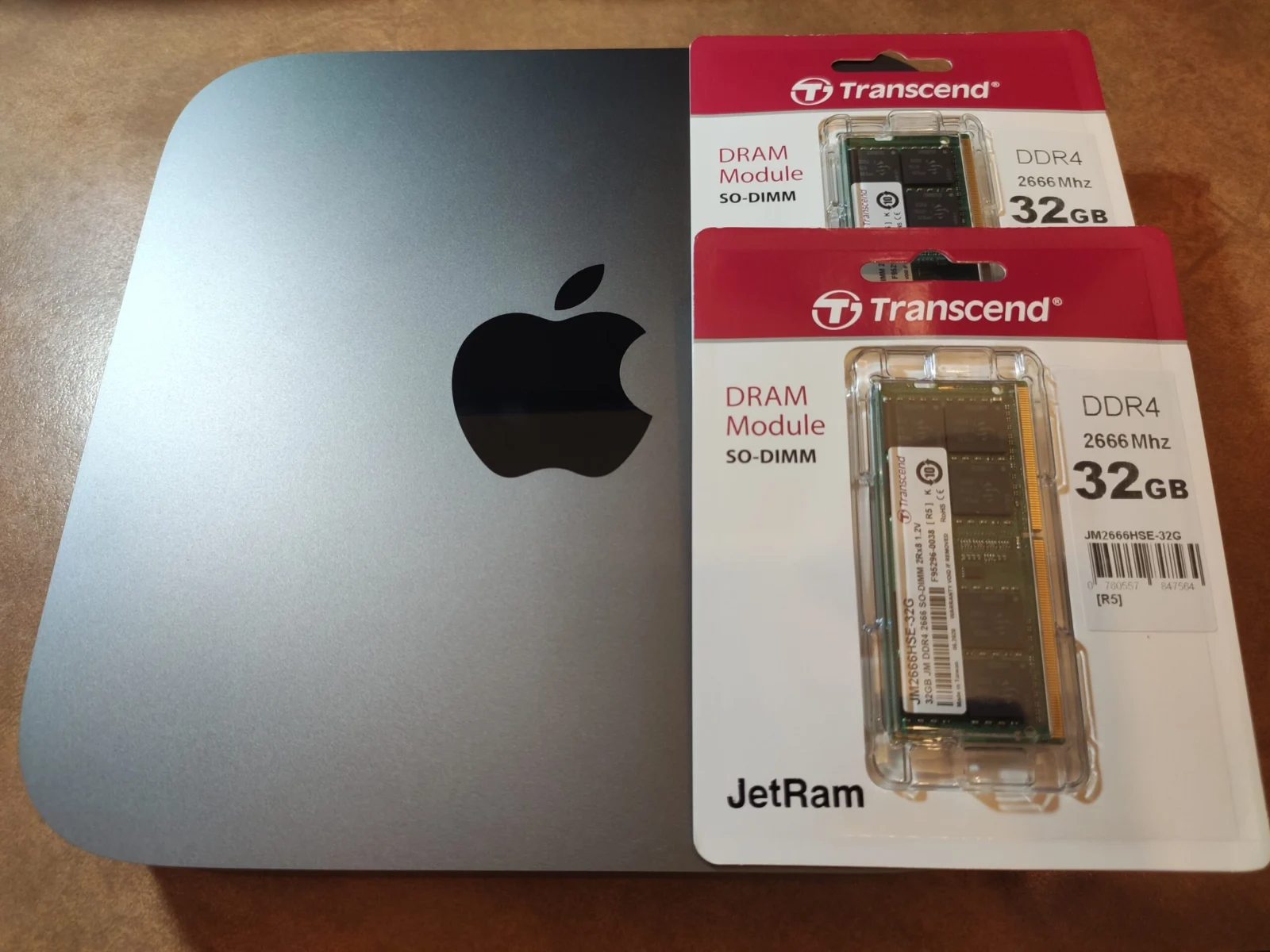
Give your Mac more speed and storage
A well-chosen upgrade can make an older Mac feel dramatically faster and give it years more life. Complete Mac Solutions in Brislington, Bristol, upgrades SSDs, hard drives and memory on compatible MacBook Pro, iMac, Mac mini and Mac Pro models.
We check exactly what your Mac supports and whether an upgrade is worth the money before recommending anything.
iMac and MacBook SSD upgrades in Bristol
Replacing a mechanical hard drive or Fusion Drive with a solid-state drive (SSD) is the single biggest speed boost for an older Mac. Start-up, app launches and everyday tasks become far quicker. Many older iMacs, Mac minis and MacBook Pros can be upgraded this way, and we can choose a larger capacity at the same time.
Memory (RAM) upgrades
Extra memory helps when you run lots of apps at once or work with large files. Some Intel Macs have upgradeable memory, including the 27-inch iMac, older Mac minis and the 2019 Mac Pro. Retina MacBook Pro models, most Macs from 2016 onwards and all Apple silicon Macs have memory built into the board, so it cannot be added later.
Which Macs can be upgraded?
- Good candidates: older iMacs, Mac minis and non-Retina MacBook Pros with mechanical hard drives.
- Storage only: some 2013 to 2015 MacBook Air and Retina MacBook Pro models have replaceable SSDs.
- Not upgradeable: most Macs from 2016 onwards and all Apple silicon Macs. For these, external storage is the practical option.
Not sure which Mac you have? Go to the Apple menu, choose About This Mac, and send us the model and year.
Keeping your files
When we replace a drive, we can transfer your files, apps and settings to the new one. Tell us whether you have a recent backup and what you need to keep. If your current drive is failing, our data recovery service may be needed first.
Upgrade, repair or replace?
Crashes, overheating and shutdowns usually need a repair rather than an upgrade, and some slowdowns are better fixed by a software service. If your Mac is too old to upgrade sensibly, we can help you choose a refurbished Mac and put your old one towards it through our trade-in scheme.
Mac upgrade FAQs
Will an SSD really make my Mac faster?
If it currently has a mechanical hard drive or Fusion Drive, almost certainly. It is the most noticeable upgrade you can make to an older Mac. If your Mac already has an SSD, a larger one adds space rather than speed.
How much memory do I need?
8GB is enough for browsing, email and documents. 16GB is better for photo editing, music and running several apps together. We check the maximum your Mac supports before recommending anything.
Can you upgrade a MacBook Air or Apple silicon Mac?
Not internally. Their memory and storage are part of the main board. A fast external SSD is a good way to add storage. If you need more memory, the answer is a Mac with a higher specification, and we can take your current one in part exchange.
Will my files be safe?
We transfer your files to the new drive as part of the job when you ask us to. Having your own backup as well is always a good idea.
Can you upgrade a MacBook Pro?
Some models, yes. Older non-Retina MacBook Pros with a mechanical hard drive can usually have a new SSD and more memory. Retina MacBook Pro models have their memory built into the board, and only some 2013 to 2015 models have a replaceable SSD. Most Macs from 2016 onwards cannot be upgraded inside, so send us the model and year and we will tell you what is possible.
How much does a Mac upgrade cost?
It depends on your Mac and the parts needed. As a guide, memory upgrades start from £40 and replacement drives from £60, with fitting from £10. We give you a quote including parts, labour and VAT before any work starts.
Prices and booking
Prices depend on your Mac and the parts needed. As a guide, memory upgrades start from £40 and replacement drives from £60, with fitting from £10. Contact us for a quote, which will include parts, labour and VAT.
Image credit
Photo: Masahiko OHKUBO. Wikimedia Commons source · CC BY 2.0. Resized and compressed to WebP.
_%2B_64GB_Memory_(50333782751).jpg)